MSTeams and Ilearn
Aċċessa l-email account tat-tifel/tifla tiegħek:
(L-istudenti ġodda se jingħataw l-email address u l-password tat-tfal.)
(New students will be given their ilearn email address and password.)
Kif tużaw Ms Teams?
How to use MSTeams?
(1) Ms Teams for Parents (in Maltese language) – YouTube
Accessing MySchool as a Parent or Guardian
Parents and guardians can view important information related to their child through the MySchool portal. This includes:
- – attendance records
- – assessment reports
- – examination results
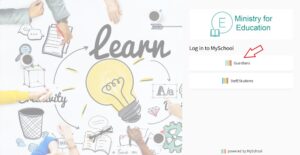
To access the portal, visit mis.edu.mt and select the “Guardian” option. You will be required to sign in using your personal e-ID credentials (your e-ID username and password). Please note that your child’s iLearn login details cannot be used to access MySchool.
If you require assistance with your e-ID account or registration, further information is available at the e-ID help portal, or you may contact the e-ID support service on 2590 4300.